
Buying guide for solo and small firms
The best copier for a small law office is the right-sized one.
A small firm needs a copier that scans productions fast, prints exhibits on 11×17, bills pages back to matters and keeps client files safe. It does not need speed it will never use. Answer three questions and we will point you to a starting machine. Serving law offices from Nassau County to Manhattan.
A starting point, not a quote. We confirm with your real volumes in the free print review.
What a small firm needs
Five things that matter more than speed
Copier brochures lead with pages per minute. For a small law office, these decide whether the machine works for you.
A scanner that keeps up
Productions, signed agreements and records requests all go through the scanner. A dual scan feeder reads both sides in one pass, so a two-sided 200-page document is one trip, not two.
Does the quote include the dual scan feeder, or is it an option?
11×17 for exhibits and spreadsheets
Exhibits, damages spreadsheets and closing statements often need tabloid paper. Every machine on this page prints and copies on 11×17.
Can it copy, print and scan 11×17?
Billback from day one
Copies for a matter are a cost the client should see. PaperCut puts a client and matter code on every copy, print and scan.
How will copies reach the client's invoice?
Confidentiality built in
These bizhub models encrypt their storage drive (AES-256) and include an overwrite-all-data function. Badge or PIN release keeps privileged pages out of the tray. New York's Rule 1.6(c) asks lawyers to make reasonable efforts to protect client information, and the copier is part of that.
What happens to the drive when the lease ends?
Service you can reach
A small firm has no backup copier. What matters is who answers the phone and how fast a technician shows up before a filing deadline.
Who services it, and from where?
Buy for the work you do, not the speed on the brochure.
Get a right-sized recommendationOur picks
Four Konica Minolta machines for small firms
All four are bizhub i-Series 11×17 copiers that copy, print and scan. Which one fits depends on how many people share it, whether you print in color and how much you scan.
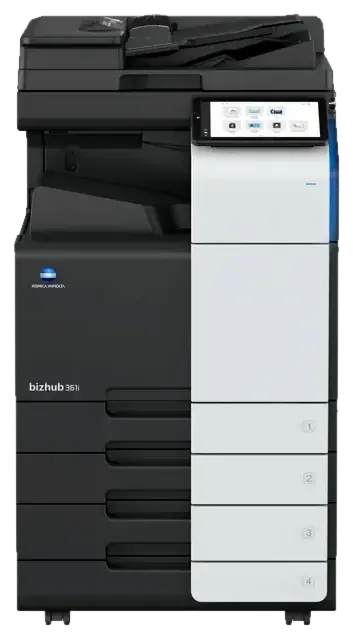
For a solo or small practice that prints letters, pleadings and contracts in black and white and still scans in color.
- 100-sheet dual scan feeder standard, with double-feed detection
- 1,150 sheets standard, up to 6,650
- Optional 50-sheet stapling and 2/3 hole punch
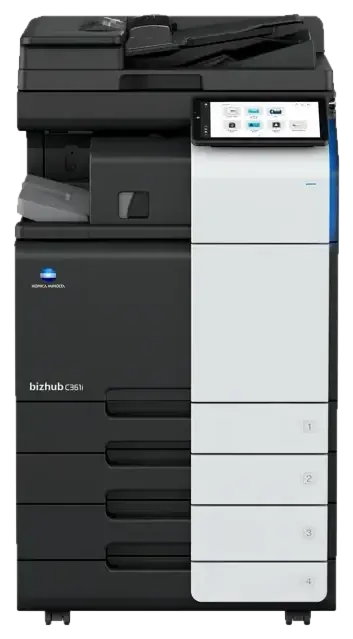
For a firm of roughly 5 to 20 that wants color for exhibits and client documents without paying for speed it won't use.
- Optional dual scan feeder: up to 100 ipm, 200 ipm duplex
- 1,150 sheets standard, up to 6,650
- Encrypted 256 GB SSD with overwrite all data
For a firm where attorneys and staff print and copy color every day and scan to email or SharePoint all week.
- Optional dual scan feeder: up to 100 ipm, 200 ipm duplex
- Optional 50-sheet stapling and 20-sheet booklets
- Encrypted 256 GB SSD with overwrite all data
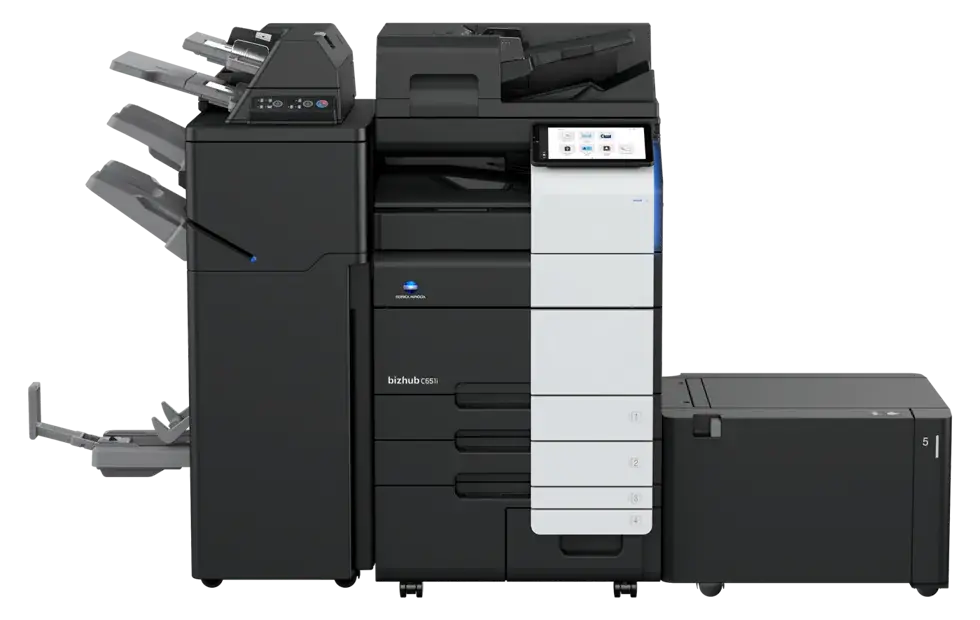
For a firm that scans productions every week, or has outgrown an entry color machine.
- 300-sheet dual scan feeder standard, up to 280 ipm duplex
- Double-feed detection standard
- Optional 100-sheet stapling
Prefer Canon or Kyocera? Comparable picks include the Canon imageFORCE C3100 Series and Kyocera TASKalfa MZ3501ci, with the same PaperCut billback on top. Compare the three manufacturers →
Before you sign
Six things to get in writing on any copier quote
Whoever you buy from, these are the questions that protect a small firm.
Is the dual scan feeder included, or listed as an option? On the C301i and C361i it is optional.
The lease length, what happens at the end, and how much notice it needs to avoid an automatic renewal.
Toner, parts, labor and service calls, and the per-page rates for color and black and white.
Who the technicians work for, and where they are dispatched from.
Whether PaperCut and scan-to-folder setup are part of the install, or extra work you arrange later.
In writing: the machine's stored data is erased before it leaves your office.
Managed print
The copier and the desk printers, one set of rates
Most small firms also have a few printers on attorneys' desks. With NYBS managed print, they go on the same plan as the copier, billed at one black and white rate and one color rate per page, with toner and service from one service desk.
- The same black and white rate and color rate on every machine that prints
- Toner and service for all of it from one service desk
- Every page counted, so billback covers the whole office
| Machine | Prints | Billed at |
|---|---|---|
| CopierFront office · bizhub C651i | Color, black & white | Both rates |
| CopierCopy room · bizhub 950i | Black & white | Black and white |
| PrinterPartner offices · 4 printers | Black & white | Black and white |
| PrinterParalegal bay · 2 printers | Color, black & white | Both rates |
Start here
A free print review for your firm
We read your real volumes before recommending anything. If a smaller machine will do, we'll tell you.
Get a right-sized recommendation- Walk the office
Every copier and printer, and where people actually print and scan.
- Read the meters
Real monthly volumes, color and black and white.
- Check every lease
Every lease and service contract listed with its end date.
- Written plan
The machine that fits, billback and security setup. No charge.
Questions
Small law office copier questions
Something else? Call (516) 739-0200. We usually reply the same business day.
What is the best copier for a small law office?
For most solo and small firms, a 30 to 36 page-per-minute color copier that prints 11×17 and has a dual scan feeder, such as the Konica Minolta bizhub C301i or C361i. If the firm prints only black and white, the bizhub 301i includes the dual scan feeder as standard. Firms that scan productions every week are better served by the bizhub C451i, which has a 300-sheet dual scan feeder standard. We confirm the fit with your real volumes before recommending anything.
Does a small law firm need 11×17?
Usually, yes. Exhibits, spreadsheets and closing statements often print on 11×17, and every machine on this page copies, prints and scans tabloid paper.
Do we need color?
If you print color exhibits, photos or client-facing documents, yes. If everything you print is text and you only need to scan in color, the black and white bizhub 301i still scans in color.
Is a dual scan feeder worth it?
For a law office it usually is. It reads both sides of a page in one pass. With the optional dual scan feeder, the bizhub C301i and C361i scan up to 100 images a minute one-sided and 200 two-sided. The bizhub C451i scans up to 280 images a minute two-sided with its standard 300-sheet feeder.
Can a small firm bill copies back to clients?
Yes. PaperCut puts a client and matter code on every copy, print and scan, and the charges export by matter for your billing. How client billback works.
How is client data protected on these copiers?
The bizhub i-Series models on this page encrypt their storage drive (AES-256) and include an overwrite-all-data function. Badge or PIN release keeps confidential pages in the queue until the right person signs in, and we erase the machine's stored data before it leaves your office.
We are switching from another dealer. What happens to the old copier?
We coordinate the removal and return of your old machine. In Manhattan, we also handle the building's certificate of insurance and freight elevator booking for the delivery.
Should we lease or buy?
Both work, and the right answer depends on your firm. We price both options in the free print review, with every lease term written out, so you can compare them side by side.
Do you sell Canon and Kyocera too?
Yes. NYBS sells and services Konica Minolta, Canon and Kyocera. For a small law office, comparable picks include the Canon imageFORCE C3100 Series and the Kyocera TASKalfa MZ3501ci. Compare the three manufacturers.